Reminding myself how hex works
I’m quite comfortable with binary and how numbers are represented but when it comes to hexidecimal, the gap between needing to understand it is large enough that it never sticks in my head.
Binary refresher
In binary, a byte is represented as 8 bits. Each bit is either a 1 or a 0, indicating the presence of the base 2 number for that position. The value of the byte is calculated by summing all the base 2 numbers that have their respective bit set to 1.
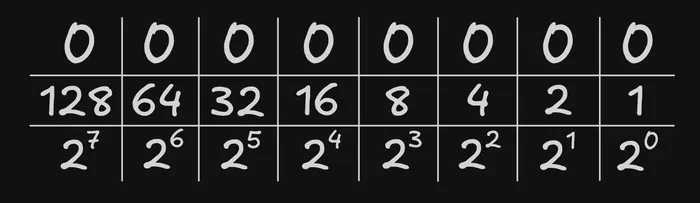
For example, the decimal value 167 is represented in binary as 0b10100111. Using the chart above, we can see that the following bits are set to 1: 128, 32, 4, 2, 1. If we add them all together, we get 167!
Hexidecimal
Each character in a hexidecimal number represents a base 16 number where the character can have 16 different values, 0-9 then a-f. To store the individual character (a number between 0 and 15) in binary would require 4 bits (8+4+2+1) otherwise known as a Nibble, therefore a single byte requires 2 base 16 characters.
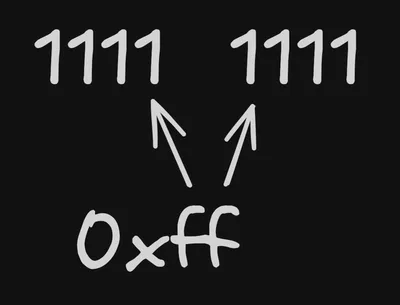
Taking the previous example of 167, we know that the binary is 0b10100111. We can get the hexidecimal characters by breaking it into two 4 bit chunks and calculating the individual values:
1010 = 8 + 2 = 10 = a0111 = 4 + 2 + 1 = 7 = 7
Therefore the hexidecimal value of 167 would be 0xa7.
Interactive byte!
Here’s a visualisation of each value within a single byte as a decimal, binary, and hex number.
Decimal:
Binary:
Hexidecimal: