Hardware acceleration with Jellyfin on Docker and NixOS
I recently changed my home server from a TrueNAS Scale setup to a custom NixOS server. One thing I wanted to enable in Jellyfin was hardware acceleration for video transcoding as I’d never had that configured before! I had a spare GTX 1060 from an old PC so I decided to give it a shot.
I hit a few bumps along the way but got there in the end!
Installing the Nvidia drivers
First off was installing the drivers for the graphics card. NixOS makes this super simple.
  ...

  hardware = {
    graphics.enable = true;
    nvidia = {
      # Current Nvidia drivers (590) don't support the 1060
      package = config.boot.kernelPackages.nvidiaPackages.legacy_580;
      # The open source kernel modules don't support the 1060
      open = false;
    };
  };
  services = {
    xserver.videoDrivers = [ "nvidia" ];
  };
  ...
I got stuck for a while before I realised that the stable (590) drivers don’t support the GTX 1060. I found out by going to the Nvidia driver download page, searching for the 1060 and noticing that it gave me the 580 drivers!
Now I could see /dev/nvidia0 so on to the next step!
Making the GPU available to the container
This triggered a few missteps as it seems to have changed a lot over the years.
I started off by following a guide and adding this to my docker-compose spec:
# INCORRECT
devices:
  - /dev/dri:/dev/dri
This didn’t work so I found another guide which said to add this:
# INCORRECT
deploy:
  resources:
    reservations:
      devices:
        - driver: nvidia
          count: all
          capabilities: [gpu]
This gave another error about not being able too find a device with the gpu capability. Finally, I found a guide that referenced the nvidia-container-toolkit which I enabled in the NixOS config.
  hardware = {
    ...
    nvidia-container-toolkit.enable = true;
  };
Then I just needed to add a devices value and it worked perfectly. I could now see the GPU inside the container!
devices:
  - nvidia.com/gpu=all
Jellyfin configuration
The last step was to configure hardware acceleration in Jellyfin. To do this, I went to /web/#/dashboard/playback/transcoding and changed the hardware acceleration drop down from None to Nvidia NVENC. Then I found a handy table which told me exactly which codecs were supported by the 1060 for both encoding and decoding! Once I’d checked the relevant boxes, I saved the configuration and restarted Jellyfin with docker restart jellyfin. Then I started streaming a movie and changed the bit rate to a lower value and it worked!
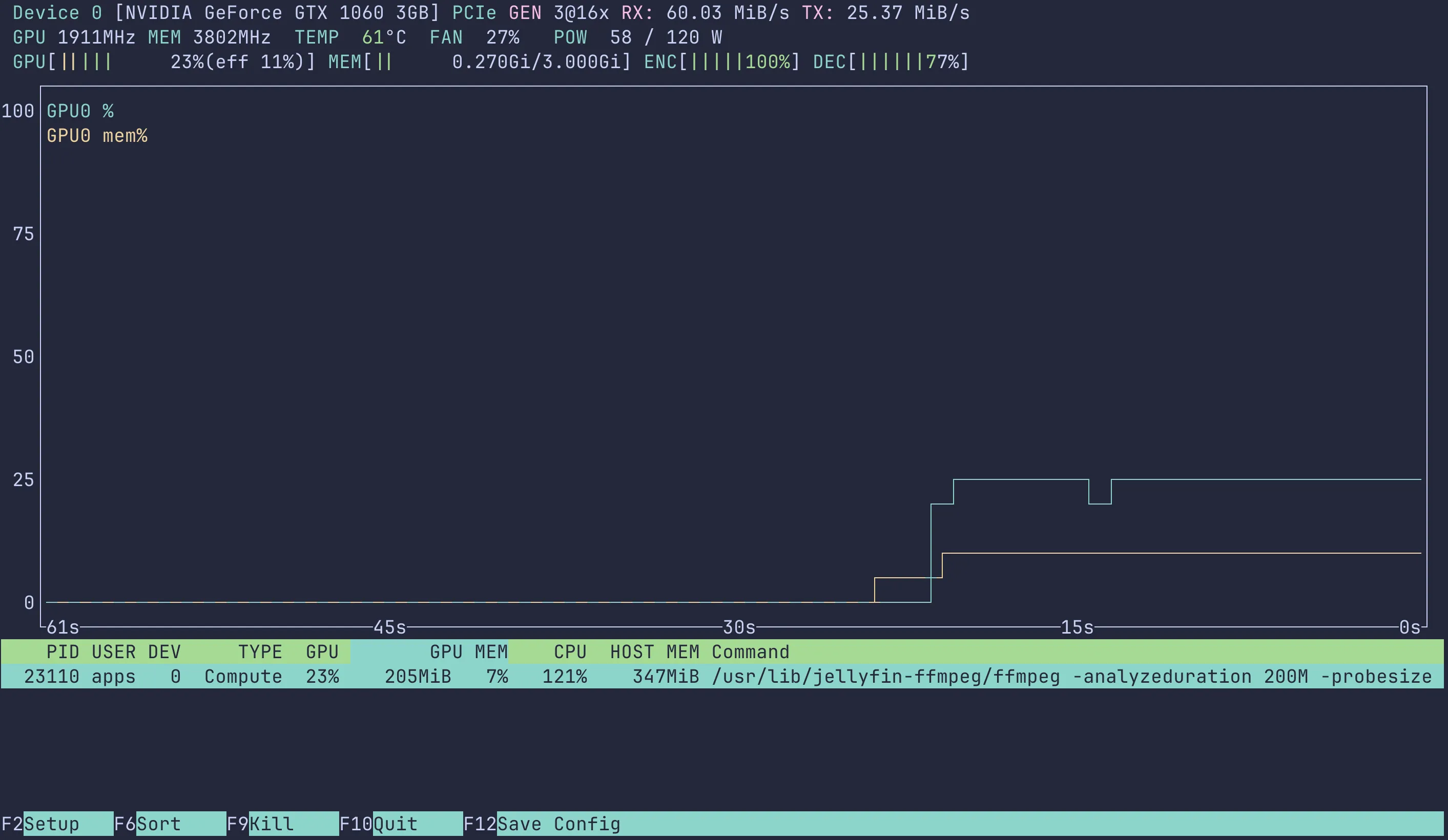
I used a tool called nvtop to verify that the GPU started doing some work and got a lovely graph telling me everything was set up correctly.